

Riverbed AppResponse captures and analyzes network traffic to help teams identify why applications are slow. A Riverbed AppResponse license enables the purchased analysis capabilities on a physical, virtual, or cloud deployment. Selecting AppResponse licensing means matching capture scope, platform capacity, retention, and optional modules to the applications you need to troubleshoot.
Quick Benefits
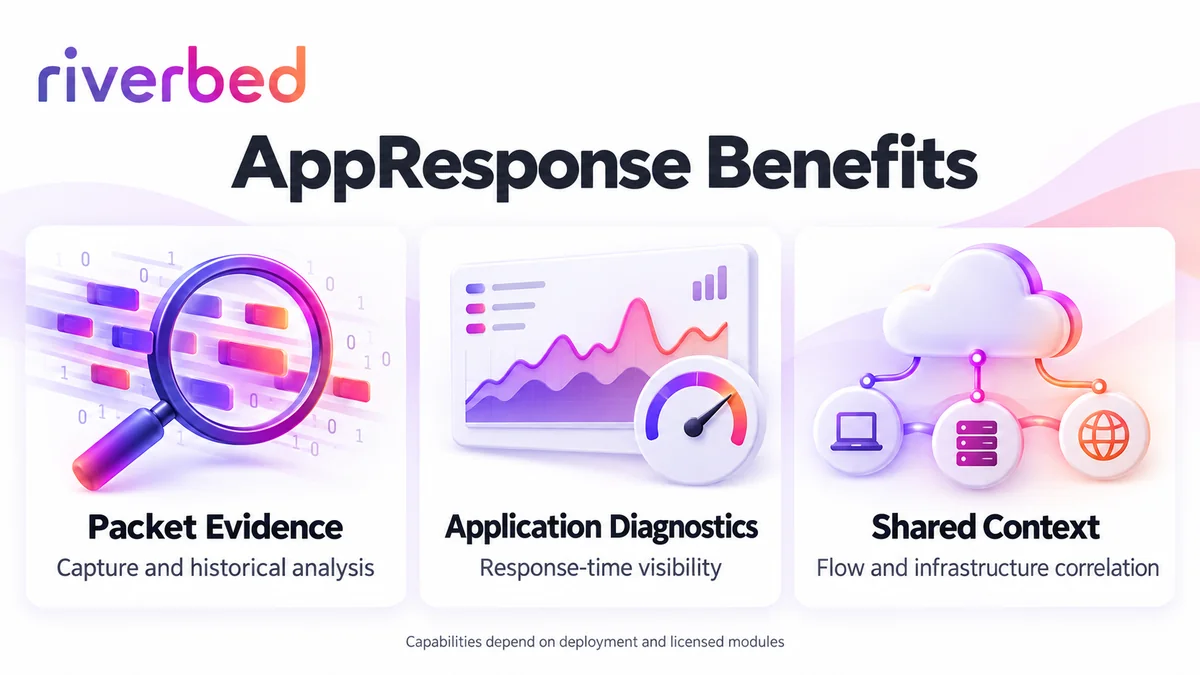
- Packet-level evidence for network and application investigations
- Response-time analysis across supported application traffic
- Historical capture for intermittent performance problems
- Correlation with the wider Riverbed observability stack
- Physical, virtual, and cloud deployment options
At a Glance
- Vendor: Riverbed
- Product family: Riverbed License
- Primary role: Packet-based network and application analysis
- Deployment: Appliance, virtual edition, or supported cloud instance
- License scope: Purchased capacity, feature keys, and eligible subscription rights
- Quote inputs: Traffic volume, capture locations, retention, and analysis requirements

Features & Benefits
Packet Evidence and Historical Investigation
AppResponse combines packet capture with analysis so teams can investigate traffic seen at monitored locations. Retained packets provide evidence for intermittent faults that may disappear before an engineer starts troubleshooting. Capture quality depends on traffic delivery, processing, and storage.
Application Diagnostics and Response-Time Visibility
Supported analysis capabilities help distinguish network delay from application or server behavior. Application Stream Analysis and Web Transaction Analysis are documented feature modules, with availability dependent on platform, release, and entitlement. Match analysis to the intended protocols.
Shared Context and Hybrid Deployment
AppResponse integrates with Riverbed products such as NetProfiler and NetIM to connect packet evidence with flow and infrastructure information. Supported Riverbed IQ integrations add wider operational context. Deploy collection near workloads and verify integration entitlements.
License Overview
An AppResponse license enables operation and the purchased capabilities through feature keys. Traditional appliance licensing is associated with the appliance serial number, while virtual editions use a Product Key. Optional modules expand analysis scope. Confirm the enabled features and capacity in the quotation.
Current Riverbed AppResponse Flex licensing supports portability across specified model groups. Published small, medium, and large exchange groups define permitted transfers. Existing serial-bound licenses do not automatically acquire Flex rights. Separate software entitlement, appliance hardware, and support when comparing configurations.
Product Overview
AppResponse receives traffic from suitable TAP, SPAN, virtual, or cloud capture mechanisms, then processes and stores evidence for investigation. Engineers use dashboards and packet analysis to examine affected applications, hosts, and time periods. It observes delivered traffic rather than optimizing connections.
Choose capture locations carefully: incomplete mirrored traffic or one-sided conversations can limit diagnostic evidence.
Core Technical Flow
Deliver monitored traffic to capture interfaces, configure the relevant capture jobs, and apply supported analysis. AppResponse produces metrics and retains packets within the configured storage limits. Investigate the affected conversation and time window, correlate findings with other evidence, then validate a change.
Options & Licensing Models
Compare deployment requirements alongside entitlement and analysis scope.
| Option | Licensing Focus | Planning Requirement |
|---|---|---|
| Physical appliance | Model entitlement, feature keys, and support | Capture interfaces, traffic load, and storage |
| Virtual edition | Product Key and purchased capacity/features | Supported hypervisor, compute, and capture delivery |
| Cloud deployment | Cloud-compatible entitlement and modules | Traffic mirroring, instance resources, and storage costs |
| Eligible Flex subscription | Defined portability group and subscription scope | Permitted target models and deployment transition |
Compatibility & Requirements
Check the selected release against appliance, hypervisor, cloud, and module support. Validate CPU, memory, disk throughput, and capture connectivity before sizing the deployment. Plan permissions, time synchronization, and retention controls for packet data. Encrypted traffic does not automatically expose transaction contents; assess the visibility available for the intended protocols.
Activation & Deployment
Prepare Riverbed account access, the appliance serial or virtual Product Key, and the entitlement record. Supported connected installations retrieve feature keys through the licensing service. Documented offline appliance procedures obtain keys on an Internet-connected computer and import them into the AppResponse licensing interface. Follow the guide for the exact platform and release.
Verify installed keys, then test capture jobs with representative traffic. Check packet drops, timestamps, application metrics, and retention before expanding monitoring coverage.
Pricing & Quote Process
Provide peak and typical traffic rates, capture interfaces, site count, retention targets, and required analysis modules. For renewals, include model, serial or Product Key reference, software version, and support expiry. Confirm Flex portability requirements and distinguish software, hardware, cloud infrastructure, and support costs.
Request an AppResponse license quote with your capture requirements. Include the wider network licensing scope when planning complementary flow or infrastructure monitoring.