

WALLIX Web Session Manager extends Privileged Access Management (PAM) controls to browser-based applications, SaaS platforms, cloud consoles, administrative portals, and other web interfaces that may contain sensitive or privileged information. Instead of allowing users to connect directly from their local browser, the solution provides a controlled and isolated web session where access policies, user activity, and session events can be centrally managed.
Quick Benefits
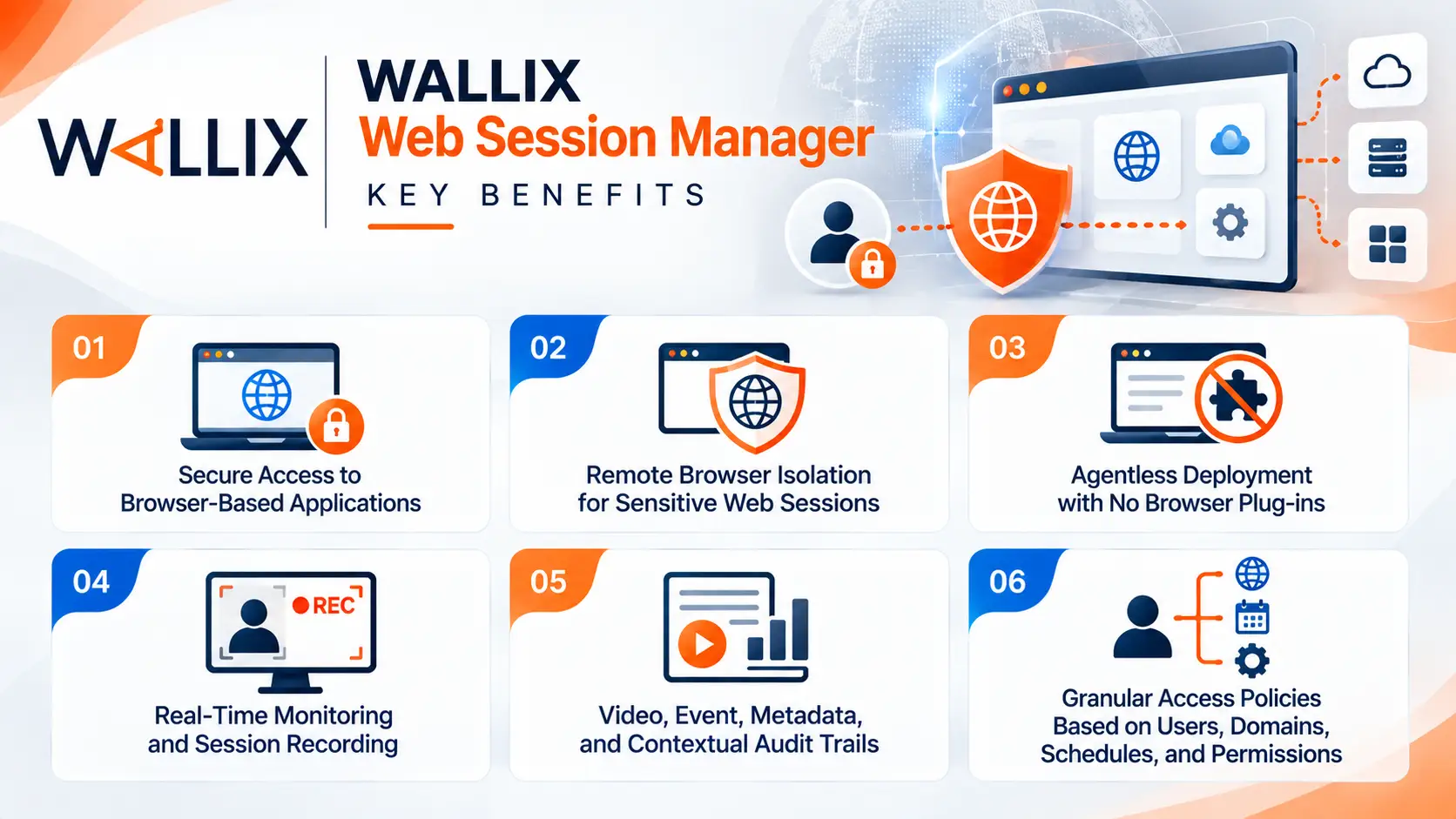
- Secure access to browser-based applications
- Remote Browser Isolation for sensitive web sessions
- Agentless deployment with no browser plug-ins
- Real-time monitoring and session recording
- Video, event, metadata, and contextual audit trails
- Granular access policies based on users, domains, schedules, and permissions
- Control over clipboard and file-transfer activities
- Temporary isolated browser environments
- Integration with WALLIX PAM workflows
- Support for privileged and non-privileged users accessing critical applications
At a Glance
- Product: WALLIX Web Session Manager
- Parent Category: WALLIX License
- Primary Function: Secure and govern web-based sessions
- Technology: Remote Browser Isolation (RBI)
- Deployment Approach: Agentless and browser-based
- Session Controls: Access, authorization, monitoring, recording, and policy enforcement
- Target Environments: Web applications, SaaS platforms, cloud consoles, administrative portals, and industrial web interfaces
- Platform Integration: WALLIX PAM

License Overview
The WALLIX Web Session Manager license enables organizations to extend their PAM security model beyond traditional protocols such as RDP and SSH and apply centralized controls to browser-based access. WALLIX introduced Web Session Manager as a native module within its PAM platform to address the growing security exposure associated with web applications and browser-based administrative interfaces.
Licensing and entitlement should be evaluated according to the organization’s WALLIX PAM architecture, required capabilities, user population, protected applications, and deployment model. For environments with a mixture of privileged administrators, external vendors, and standard users accessing sensitive web applications, the licensing scope should be confirmed against the required access and session-management capabilities.
For procurement, it is therefore important to distinguish between the broader WALLIX PAM platform and the specific Web Session Manager functionality required for browser-based access.
Product Overview
WALLIX Web Session Manager acts as a controlled security layer between users and web applications. Rather than relying on the endpoint browser to establish a direct connection with the target application, the session is opened through a controlled environment managed by WALLIX.
This architecture is particularly relevant for cloud management consoles, administrative portals, SaaS applications, and industrial web interfaces where users may need elevated access but the organization cannot rely solely on conventional authentication controls.
The solution also extends PAM principles to users who are not necessarily full-time administrators. External service providers, contractors, operational teams, and other users may require temporary access to sensitive web applications, making centralized authorization and session visibility important security controls.
Core Technical Flow
The operating model of WALLIX Web Session Manager can be summarized as four stages:
1. Define access policies
Administrators configure the required access rules through the WALLIX PAM environment. Policies can define users, target domains, schedules, authorization workflows, and other restrictions.
2. Launch an isolated web session
The user starts the authorized application from the WALLIX environment. A secure browser session is created without requiring an extension or locally installed agent.
3. Monitor and record activity
During the session, activity can be monitored and recorded. WALLIX can capture video, events, metadata, and contextual information, allowing security teams to maintain visibility into what occurred during the session.
4. Terminate and retain evidence
When the session ends, the temporary browser environment is destroyed. Relevant logs and recordings remain available for audit, investigation, and compliance purposes.
This approach helps prevent browser artifacts, cached content, or other session-related elements from remaining on the user’s endpoint after the authorized activity has finished.
Options & Licensing Models
| Licensing / Deployment Consideration | Description |
|---|---|
| PAM Integration | Web Session Manager operates as part of the WALLIX PAM security model |
| User Scope | Can support privileged and standard users with elevated access requirements |
| Application Scope | Suitable for web applications, SaaS platforms, cloud consoles, and administrative interfaces |
| Access Policies | Rules can be defined around users, domains, schedules, and authorization workflows |
| Session Controls | Monitoring, recording, clipboard restrictions, and file-transfer controls |
| Browser Isolation | Web activity is executed within an isolated temporary environment |
| Audit & Compliance | Session recordings, events, metadata, and contextual information provide traceability |
The exact licensing model, supported versions, capacity, and commercial entitlement should be verified with the current WALLIX quotation and the organization’s existing PAM deployment before purchase.
Features & Benefits
Remote Browser Isolation
Web Session Manager uses Remote Browser Isolation to move sensitive browser execution away from the user’s local environment and into a controlled session. This reduces exposure associated with local browser sessions, particularly when users connect from unmanaged or third-party devices.
Complete Session Auditability
Security teams can maintain visibility into web sessions through recorded video, events, metadata, and contextual information. This creates an audit trail that can support incident investigation and compliance activities.
Granular Access Control
Access can be restricted according to the user, application domain, schedule, duration, and configured authorization policies. Additional controls can restrict activities such as clipboard usage and file transfers.
Agentless Operation
Users do not need to install browser plug-ins or additional endpoint software to initiate controlled web sessions. This simplifies deployment and makes the solution more practical for external users and third-party access scenarios.
Temporary Session Environment
The isolated browser environment is temporary and can be automatically destroyed when the session ends. This helps reduce the possibility of persistent browser artifacts remaining after privileged activity.
Centralized PAM Governance
Web Session Manager brings browser-based access under the same broader PAM governance model used for privileged access. This allows organizations to manage web sessions alongside other access and session-management controls rather than maintaining a separate security architecture.
Compatibility & Requirements
Before requesting a WALLIX Web Session Manager license, organizations should evaluate:
- Current WALLIX PAM or Bastion deployment and version
- Number and type of users requiring web access
- Web applications and domains that must be protected
- Required authentication and authorization workflow
- Privileged versus standard user requirements
- Need for session recording and long-term audit retention
- Clipboard and file-upload/download restrictions
- SIEM integration and security monitoring requirements
- Cloud, SaaS, on-premises, or hybrid application architecture
- Browser and target-application compatibility
- Existing WALLIX licensing and entitlement
WALLIX documentation also identifies configuration elements such as web application targets, target accounts, target groups, and web connection policies when configuring web sessions. Version-specific requirements should therefore be checked before deployment.
Activation and Deployment
Deployment begins by integrating the required web applications and defining the corresponding access policies in WALLIX PAM. Administrators can determine which users or groups are authorized to access each application and establish conditions such as permitted domains, schedules, authentication methods, and access duration.
Once configured, users can launch authorized web sessions through the WALLIX interface without installing additional browser extensions. The session is isolated, monitored, and recorded according to the configured policy. At the end of the connection, the temporary environment is removed while the relevant audit information remains available.
For production deployment, organizations should validate application compatibility, authentication behavior, session recording requirements, SIEM integration, and policy restrictions before enabling the service for all users.
Pricing & Quote Process
The price of a WALLIX Web Session Manager license depends on the required licensing scope, existing WALLIX PAM environment, number of users or protected access scenarios, deployment architecture, and required capabilities.
Because Web Session Manager is integrated into the broader WALLIX PAM ecosystem, the most accurate quotation should be prepared based on the existing WALLIX deployment and the web applications that need protection.
When requesting a quote, provide the number of users, protected web applications, privileged-access requirements, deployment model, session-recording requirements, and current WALLIX products or licenses. This allows the licensing scope to be matched more accurately to the organization’s security architecture.
WALLIX Pricing depends on your license edition, quantity, term, and deployment needs.