

Cisco FDM License refers to the licensing and management requirements associated with Cisco Secure Firewall Device Manager (FDM), the web-based management interface used to configure and monitor Cisco Secure Firewall Threat Defense (FTD) devices locally. FDM provides a simplified management experience for organizations that do not require a separate centralized management platform for their firewall deployment.
Cisco FDM is primarily designed for smaller or standalone firewall environments where administrators can manage an FTD appliance directly through its local web interface. It provides workflows for configuring interfaces, routing, access-control policies, NAT, VPN, security intelligence, and other firewall functions.
Quick Benefits
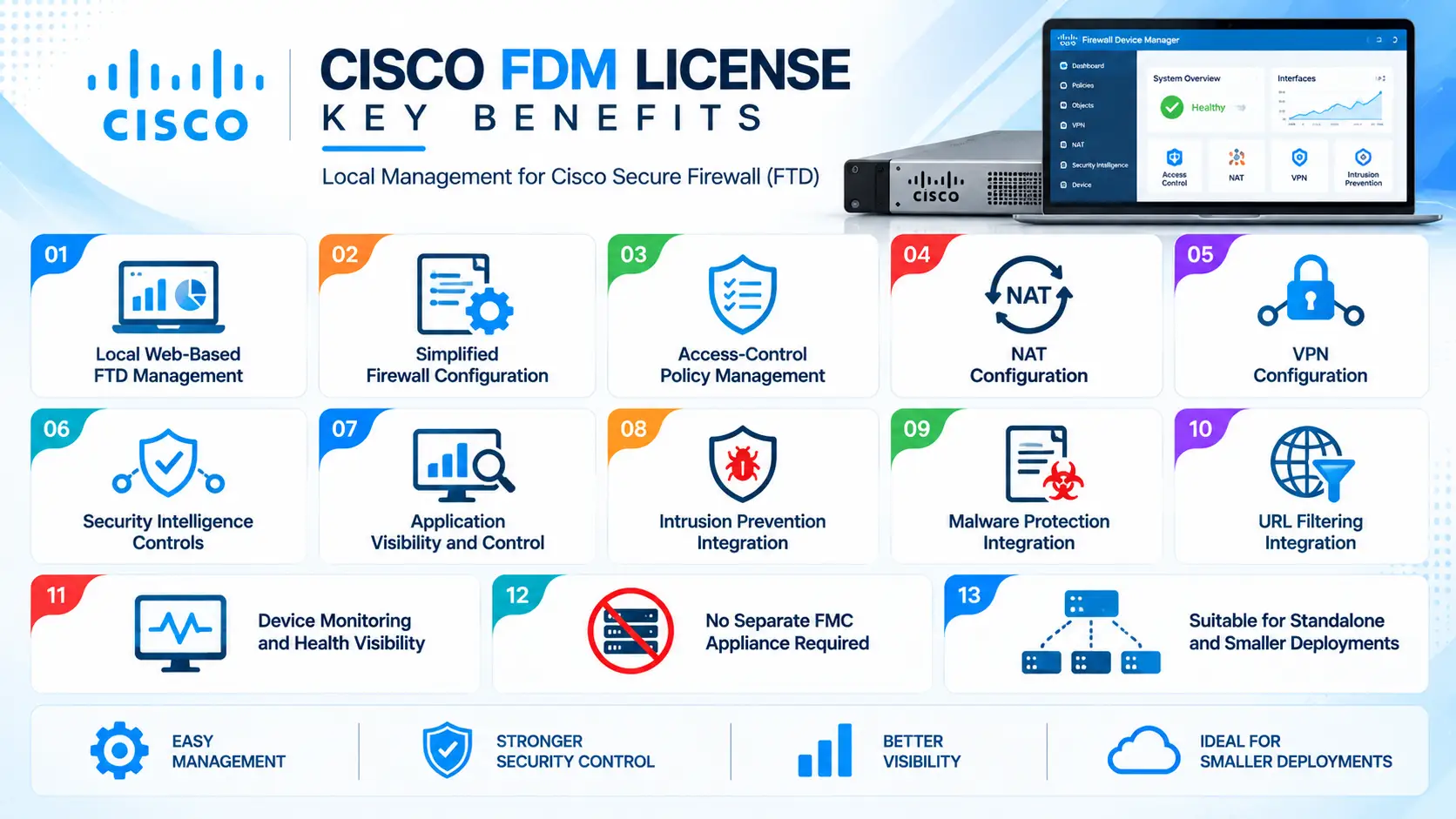
- Local web-based FTD management
- Simplified firewall configuration
- Access-control policy management
- NAT configuration
- VPN configuration
- Security Intelligence controls
- Application visibility and control
- Intrusion prevention integration
- Malware protection integration
- URL filtering integration
- Device monitoring and health visibility
- No separate FMC appliance required for local management
- Suitable for standalone and smaller deployments
Cisco FDM License At a Glance
What it is: Web-based local management interface for Cisco Secure Firewall Threat Defense.
Parent Category: Cisco Security
Product: Cisco Secure Firewall Device Manager
Primary role: Local configuration and management of supported FTD devices
Management model: Per-device management
Software platform: Cisco Secure Firewall Threat Defense
Deployment: Integrated with supported FTD appliances
Main functions: Firewall policies, NAT, routing, VPN, security policies, device monitoring, and software management
Centralized alternative: Cisco Secure Firewall Management Center

License Overview
The term Cisco FDM License can be misleading because FDM is not generally purchased as a standalone firewall-management license in the same way that a separate management appliance would be licensed.
FDM is the local management interface integrated into supported Cisco Secure Firewall Threat Defense deployments. The licensing requirement is therefore primarily associated with the FTD appliance and the security services enabled on that appliance.
Depending on the Cisco Secure Firewall model and software configuration, an organization may require licenses or subscriptions for capabilities such as:
- Threat defense
- IPS
- Advanced Malware Protection
- URL filtering
- Application visibility and control
- VPN
- Other Cisco security services
FDM can then be used to configure and administer these capabilities locally.
Licensing Highlights
The licensing architecture can be understood in two layers.
FDM management
→ Provides the local interface for configuring and monitoring the FTD device.
FTD security licensing
→ Determines which advanced security services are available on the firewall.
For example, an administrator can use FDM to configure access-control policies, but advanced inspection capabilities such as intrusion prevention or malware protection require the applicable Cisco security licensing.
The required license scope therefore depends on the actual security functions needed rather than simply the use of FDM.
Product Overview
Cisco Secure Firewall Device Manager is designed around direct management of an individual FTD firewall.
After accessing the FDM web interface, administrators can configure the firewall through graphical workflows rather than relying exclusively on command-line configuration. This makes FDM suitable for teams that need centralized visibility and simplified configuration but do not necessarily require the operational complexity of an FMC-managed environment.
Common administrative functions include:
- Interface configuration
- Routing
- Access-control policies
- NAT
- VPN
- Security Intelligence
- Device monitoring
- System administration
- Software updates
- Backup and restore
FDM also provides dashboards and device information that help administrators review the operational state of the firewall.
Core Technical Flow
A typical FDM workflow can be represented as:
Administrator Login
→ Administrator accesses the FDM web interface.
Device Configuration
→ Interfaces, routing, NAT, VPN, and other system parameters are configured.
Security Policy
→ Access-control rules and security policies are created.
Security Services
→ Licensed IPS, malware, URL filtering, and related capabilities are configured where required.
Policy Deployment
→ Configuration changes are validated and deployed to the FTD device.
Monitoring
→ Administrator reviews events, device health, traffic information, and security status.
This approach keeps management directly associated with the individual FTD appliance.
Options & Licensing Models
| Option | Purpose | Typical Requirement |
|---|---|---|
| FDM Local Management | Directly manage an FTD device through its web interface | Standalone or smaller deployments |
| FTD Base / Threat Defense | Provides the firewall software foundation | FTD deployment |
| IPS | Intrusion prevention and advanced threat inspection | Environments requiring network threat detection |
| AMP / Malware Protection | Malware analysis and file-based threat protection | Organizations requiring malware inspection |
| URL Filtering | Categorizes and controls web destinations | Web-access security policies |
| Application Visibility & Control | Identifies and controls applications | Application-aware firewall policies |
| VPN | Secure site-to-site or remote connectivity | Encrypted connectivity requirements |
| FMC Management | Centralized management alternative to local FDM | Multiple-firewall environments |
| Support Subscription | Technical support and applicable software/service entitlement | Production environments |
The exact available licenses depend on the FTD appliance, software release, Cisco security portfolio, and commercial licensing program.
Features & Benefits
Local Firewall Management
FDM allows administrators to manage a supported FTD firewall directly.
This can be useful when an organization has one firewall or a small number of independent deployments where deploying a separate centralized management platform would add unnecessary infrastructure.
The web interface provides guided workflows for common firewall-management tasks while still exposing advanced configuration options for supported features.
Access-Control Policies
Access-control policies are a central part of FTD security.
Through FDM, administrators can define rules controlling traffic according to parameters such as:
- Source and destination
- Applications
- Users
- Ports and protocols
- Security zones
- URLs
- Security intelligence
This allows the firewall to move beyond simple port-based filtering toward application-aware security policies.
Network Address Translation
FDM provides graphical workflows for configuring NAT policies.
Administrators can configure common scenarios such as:
- Static NAT
- Dynamic NAT
- PAT
- Port forwarding
- Identity NAT
This makes FDM useful for both perimeter and internal network-security deployments.
Compatibility & Requirements
Before deploying an FDM-managed FTD firewall, organizations should evaluate the firewall model and software release first.
Important considerations include:
- Cisco Secure Firewall model
- FTD software version
- Required security subscriptions
- Interface requirements
- Expected throughput
- VPN requirements
- IPS requirements
- Malware protection requirements
- URL filtering requirements
FDM vs FMC
The management choice is an important architectural decision.
FDM provides direct local management of an individual FTD device. It is generally suited to standalone deployments and environments where each firewall can be managed independently.
FMC provides centralized management for multiple FTD devices and is more appropriate when security teams need centralized policies, reporting, event management, and multi-device administration.
Therefore, the choice between FDM and FMC should be made according to the number of firewalls, operational model, security-team structure, and required centralized-management capabilities.
How Activation Works
The FDM interface becomes available as part of the supported FTD deployment.
A typical process includes:
- Install or initialize the FTD appliance
- Complete the initial network configuration
- Access the FDM web interface
- Register the firewall and applicable licenses
- Configure interfaces and routing
- Create access-control policies
- Configure NAT and VPN where required
- Enable licensed security services
- Deploy the configuration
- Validate traffic and security events
The initial configuration should include appropriate management connectivity and administrative credentials.
After the firewall is operational, administrators can continue managing the device through FDM unless the deployment is migrated to centralized FMC management.
Pricing + Quote
The cost associated with an FDM-managed Cisco Secure Firewall deployment depends primarily on the FTD appliance and required security subscriptions, rather than FDM being treated as an independent management product.
For an accurate quotation, prepare:
- Cisco Secure Firewall model
- Required firewall throughput
- FTD software requirement
- IPS requirement
- Malware-protection requirement
- URL filtering requirement
- Application-control requirement
- VPN requirements
- Number of firewall devices
- FDM or FMC management requirement
- High-availability requirements
- Support and subscription term
Cisco FDM pricing depends on your license type, deployment model and support requirements.